#macapps
9 posts · Last used 9d
Boosted by @welcome@friends.deko.cloud
I've been building Soot, a quiet Markdown editor for Mac and iPhone.
I love how Bear feels to write in, but I want my notes as plain files like Obsidian, in folders like Apple Notes. So that's what Soot is: a comfortable place to write, in gentle colours.
To get notified and join the beta, visit https://sootsync.com
#Introduction #MacApps #Markdown #IndieDev
Boosted by @welcome@friends.deko.cloud
Hi Mastodon! I'm Muhammad, an independent developer.
I made PDF Editor, a native Mac app that edits the actual text of a PDF. Click a line and type: it keeps the original font, and the paragraph re-wraps like in Word. It works on scanned pages too.
It runs fully offline, with no account and no uploads. $5 once, no subscription.
https://faisalflare42.gumroad.com/l/pdf-editor-mac
#introduction #macOS #MacApps #indiedev
Boosted by @welcome@friends.deko.cloud
Hello! Tentanote is a native Mac app I'm building: notes, links, files, to-dos and the tabs you won't close, in one room, connected to what they belong with, and kept in a file on your own disk.
I'll post short clips of it working, and essays on why these tools usually fail and what I'm doing differently.
Waitlist: https://tentanote.com/?ref=mastodon
#Introduction #PKM #macOS #MacApps #IndieDev
Boosted by @welcome@friends.deko.cloud
Hey Mastodon. I'm here too now.
I'm one of two people building hora — Google Calendar as an actual Mac app. Native, menu bar, work and personal accounts side by side, no browser tab.
We build mostly in public: release notes, dev-logs, and the occasional metric that makes us wince.
#Introduction #MacApps #macOS #SwiftUI
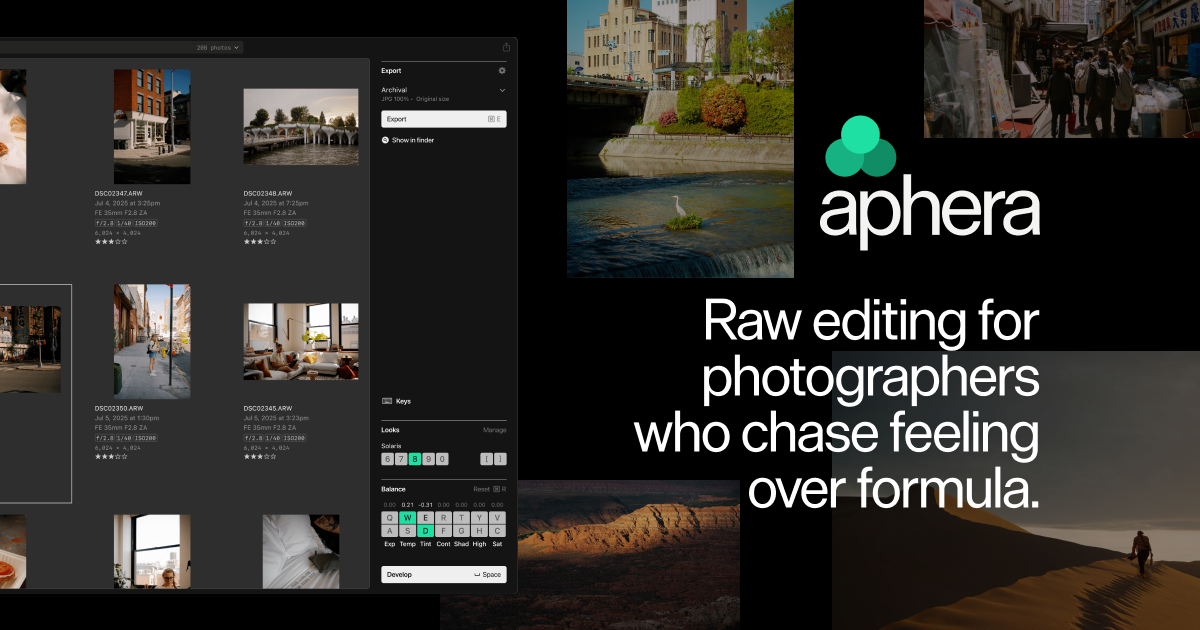
Aphera 1.0 is live! 🎉
Download and trial free (no CC required), or grab it now at launch pricing for 50% off for the next two weeks only.
We built Aphera to work with your images intentionally, without overwhelming, and to get your creative flow back. Built for our own workflow first, and it's been great seeing others feel that too.
This is just the start — plenty more coming.
https://aphera.co
#Aphera #RAWediting #MacApps #Photography
📰 New Post From PureApp.reviews 📰
CleanShot X: The Screenshot Utility That Makes Apple's Built-In Tool Feel Incomplete
https://www.pureapp.reviews/cleanshot-x-the-screenshot-utility-that-makes-apples-built-in-tool-feel-incomplete/
#App #Apps #MacOS #Mac #MacApps #MacOSApps #AppReviews #PureAppReviews #Apple #Tech #Technology #Blog #GhostBlog
📰 New Post From PureApp.reviews 📰
Keysmith Review for MacOS: The Ultimate Text Expansion & Automation Tool
https://www.pureapp.reviews/keysmith-review-for-macos-the-ultimate-text-expansion-automation-tool/
#App #Apps #MacOS #Mac #MacApps #MacOSApps #AppReviews #PureAppReviews #Apple #Tech #Technology #Blog #GhostBlog
I have been quietly impressed with Iris, a macOS photo viewer/explorer. It can handle large numbers of photos with ease - my folders of photos has over 140,000 images. You can also point it to your photo library and external disks as well. Its real strength is that surfaces metadata to provide insights in your photo collection. For example you can set locations and then see all photos within a certain radius of that location. You can also tag faces/people in a similar fashion to Lightroom. A favourite feature of mine is 'photo trails' which map out photos from a particular day. But there are many other features available as well.
And it is reasonably priced - a one time charge of NZD25 which I don't think is too bad for a high-quality, native Mac app. It's on special until the end of July. If you've thousands of photos you want to browse and interrogate then give Iris a go.
#macOS #MacApps #iris
Go to the macOS App store or buy it direct. Free trial too.
https://irisphotos.app

You've seen all posts