#3dprinter

26 posts· Last used Aug 09

Question for #3dPrinter , #Accessibility , and #Bicycle folks out there... I am trying to figure out an adaptation for my exercise bike to allow me to ride it while I have a hand injury that makes it impossible to put pressure on the top of my palm to ride. I have a Bowflex C6 that I can't adjust the handles on. I am looking for the right words to find an attachment for the handlebars, or an example of a print for something that would let me use my wrist/bottom of palm for any type of bike I could use as a starting point to print something. My searches have netted some palm rests for street bikes I might be able to modify, but I am curious for other ideas too.
2
6
1
0

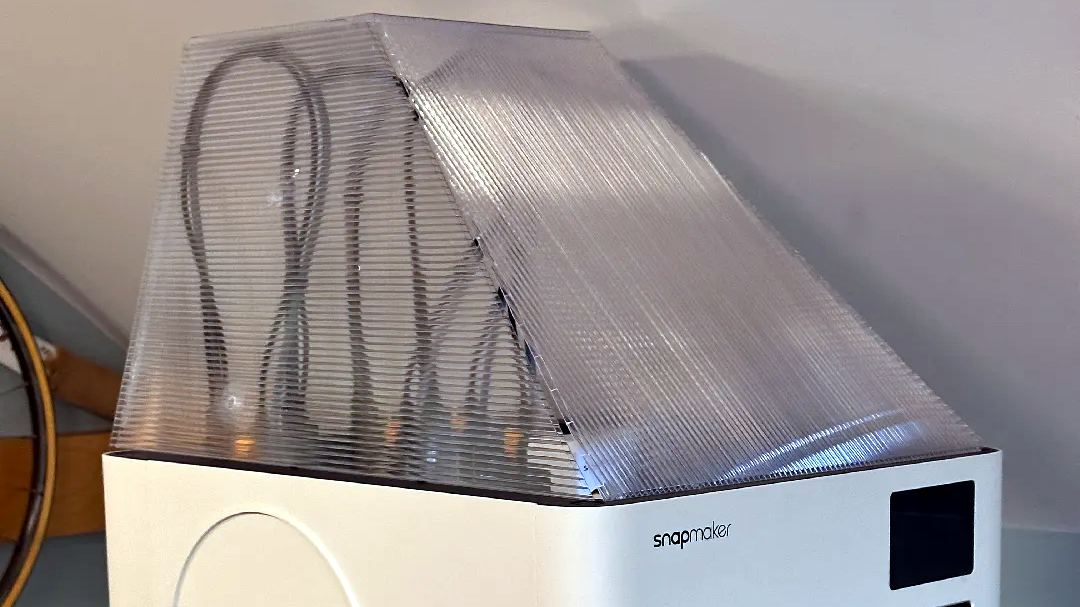
Just remembered the Z-Hop* setting in #Cura. Now my C64 keyboard dust cover should hopefully print without incident. :D

  • Causes the print head to jump up whenever moving over a printed layer to prevent the print head from snagging the part being printed and yanking it off the build surface (print/print head collision)

#3DPrint #3DPrinting #3DPrinter #Sovol #C64 #C64U #Commodore #Commodore64 #Commodore64U #Commodore64Ultimate

0
13
0
0
So far I've greased my MK4S' and Mini+'s axis rods with a q-tip, which is a bit annoying as there's always possibility of getting some on the belts in the X-axis. So I made this simple tool. It can do both sides of the rod without making a mess. Just put a tiny amount of grease on both sides of this hook, push it against the rod and move sideways, then pull and do the other side. Takes just seconds compared to messing around with a q-tip. I'll probably make a larger version for the Z-axis too in the near future, I'll probably add it under the same item as this 8mm version. https://www.printables.com/model/1799276-greasing-tool-for-3d-printer-8mm-rods #3dprinter #prusa #tools
0
0
0
0
Trouble in the Prusa paradise. I started my first ASA print and maybe 10 minutes in I get a fan error message. I copied this custom ASA profile from MK4S where it has worked fine for couple of spools. The error persisted and I visually inspected the fan, it spins just fine. So what gives? Looking at the telemetry the fan is supposed to run at 200-300rpm at the 12% setting. Am I hitting some kind of a lower threshold? For the laughs I bumped the setting to 20% and I've now printed for an hour. Weird thing is that MK4S and Core One have AFAIK the same fan and probably similar control for it. We'll see what happens. #3dprinter
0
1
0
0
Replying to @apzpins@some.apz.fi
Oh, this was a good find. I had forgotten about reading that there's a nozzle quick swap tool for Core-series, I printed one out and the nozzle was in and out in 30 seconds, most of it wondering if I'm doing it right. I only now learned something like this was also for the MK4S, not that I need to replace its nozzle often but going to long way was painful enough once. Technically the quick swap tool grabs the heating block and keeps it in place while you just drop the nozzle and whole tubing out, screw the new one in and that's it. The high flow nozzle goes in my big pile of "nozzles I'll probably never need". Here's the tool: https://www.printables.com/model/1237212-core-one-l-nozzle-replacement-tool #3dprinter #3dprinting #prusa
5
1
1
0
Finally got around to do a bit more with the new Core One L than just to print a quick test print. First thing was to get its integrated camera working. I have camera in all of my printers, the Flsun has its own, but for the rest I've just thrown in whatever old security camera I've had around to get RTSP feed out of them. Core One L comes with a freebie of Prusa's Buddycam and seeing how there was an USB C cable hanging from where it's supposed to be, this thing was not as integrated as I had assumed. First of all, here's the thing. If I'd have to guess, it's just a normal WiFi-camera that has been liberated of its original casing and it now has a 3D printed one that fits exactly the upper left front corner of the Core One's chassis. I could not see the pairing button when this thing was mounted, so I had to get it back on the table and run it off my laptop's charger. #3dprinter
0
5
0
0