Powerful SSH terminal for iOS & Mac
Posts
Finally the Help section from the app is available on the world wide web with room for additional details and links.
https://secureshellfish.app/help
Anything you think needs to be included?
I haven't been able to release TestFlight betas for Mac since April 28 as Apple will need more than a few days to approve and I will submit something fresh and the cycle repeats.
But it is possible to test Mosh support on iOS. https://testflight.apple.com/join/ZNHQt882
I'm testing the ability to customize buttons on the Fn keyboard.
All keyboard bar and Fn customizations can be saved as presets, which you can switch between by long-pressing the Fn key and share with friends.
@teaneedz@social.vivaldi.net It might help to know that you can have several addresses with comma in between that are tried in order.
@teaneedz@social.vivaldi.net I have done extensive testing and tweaking to make it work well with Tailscale.
Please tell me where you are having issues in that regard and I can maybe help.
@teaneedz@social.vivaldi.net I don’t know a lot about CloudFlare tunnels and have no special support, so a quick guess would be no.
The app uses networking APIs by default that give on-demand VPNs a chance to trigger which could both help and hurt in this case.
These tunnels require cli tool on Mac, right?
ShellFish has been beta testing "tmux native mode" for a few weeks, allowing tmux sessions to look like regular terminals with native scrolling and without the tmux bar.
Help test this in the TestFlight version of the app.
@joel@gts.tumfatig.net Port forwarding is not currently included in exports/imports. Will have a look at that.
ShellFish considers port forwards shared by all servers that you toggle for each server and this doesn’t fit naturally in a server export/import.
@joel@gts.tumfatig.net You can export and import from any device, but the ssh/config format doesn’t preserve all properties so please use CSV if you want to import back into ShellFish.
Also passwords are never exported because that scares me. 😅
@joel@gts.tumfatig.net This is a problem I have been working on for a while.
Automatic sync without iCloud Keychain is not yet possible but manual sync is.
You can import a csv file from the Files app and if this has identifiers it can update rather than just add server entries.
Please check Features/Server Import inside the Help screen.
The last few versions have added significant improvements:
Pro users can show the terminal as Live Activity on the lock screen or in Dynamic Island.
Commands to post notifications and update widgets support end-to-end encrypted image attachments.
ShellFish now supports post-quantum key-exchange algorithms, short-lived SSH certificates & Tailscale-aware networking.
https://apps.apple.com/app/apple-store/id1336634154?pt=15897&ct=mastodon&mt=8
Do you enjoy Secure ShellFish and how it is being maintained?
Consider leaving a rating or review as this really helps with App Store visibility.
https://apps.apple.com/us/app/secure-shellfish-ssh-sftp/id1336634154?action=write-review
I'm ready with initial support for short-lived SSH certificates generated on-demand by a Certificate Authority with authentication through OpenID.
I want this to work with a wide variety of Certificate Authority configurations, but my testing has been limited to the setup described here: https://smallstep.com/blog/diy-single-sign-on-for-ssh/
Your feedback is essential. Please join the TestFlight and help battle-test this to make sure it works well for your setup: https://testflight.apple.com/join/YEECE7b4
Black Friday deal: Get Lifetime Pro unlock for $22.49 (normally $29.99).
One-time purchase, works forever, syncs across iPhone/iPad/Mac. Unlimited servers, no banner ads, and read/write ShellFish location in Finder/Files app.
https://apps.apple.com/app/apple-store/id1336634154?pt=15897&ct=mastodon&mt=8
Sale runs through the weekend.
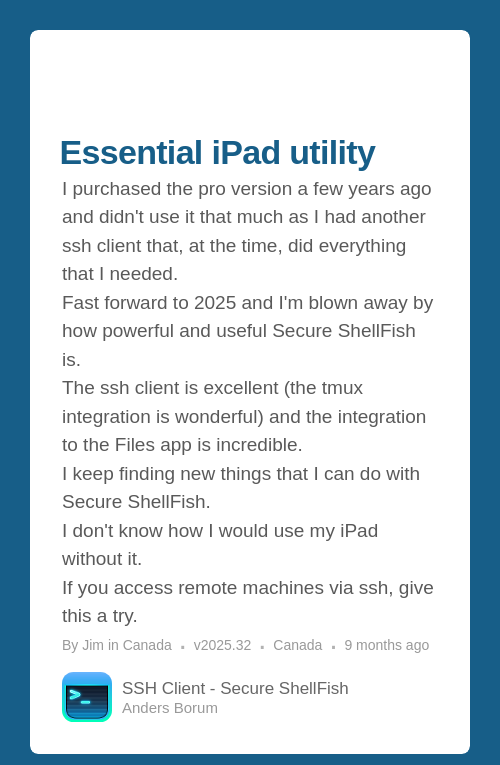
You are not supposed to have favorites but Jim is now my favorite user.
https://appfigures.com/reviews/281476240896Lxk35vG0YNqi9BVb6pNTT7A?lang=en
This small video shows 3 useful features:
• built-in tmux support for session restoration with thumbnails
• dictation which requires iOS 26 as earlier transcription models worked poorly
• picture-in-picture terminal to check progress when using other apps